Showing posts sorted by relevance for query windows 8 codecs. Sort by date Show all posts

Friday, April 25, 2014

Windows 7 and 8 Codecs Standard 2.0.1

Windows 7 and 8 Codecs Standard 2.0.1 summary:

  • System requirements:

    Windows 7 / Windows 7 64 / Windows 8 / Windows 8 64

  • Editor / User Rating:

    /
  • Author / Product:

    Shark007 / Windows 8 Codecs

  • Old Versions:

  • Filename:

    32bit_Standard_v201.exe

  • MD5 Hash:

    f3635d7473d36a0f5c219c3912097591

Codec pack for Windows 7 and 8 will offer ability to watch movies and clips without downloading or installing separate codec for every video file format. This is perfect package for users who have become accustomed to the video players that are fully relying on the presence of external audio and video codecs on their PC (Windows Media Player, BS Player, Media Player Classic and many others). By installing this Advanced Codecs package, your PC will become capable to reproduce every popular video and audio format, transforming your PC into very capable home theater client.

Same as all other products form developer Shark007, Windows 7 and 8 Codecs will automatically detect, and if it is needed, remove previously installed conflicting codec packs. This will enable your PC to have optimized support for video and audio codecs that will not create any conflicts or inability to reproduce some content. Current state of your audio codecs can be controlled via central dashboard utility, which is recommended to be used only to professionals and seasoned users who had experience in working with multimedia codecs, their deployment and optimization.

The following filetypes are enabled and SUPPORTED by the installation of the Advanced Codecs: amr | mpc | ofr | divx | mka | ape | flac | evo | flv | m4b | mkv | ogg | ogv | ogm | rmvb | xvid. All of the above filetypes can be queued to the Windows Media Player Playlist using a right-click.

Standard Codecs Features:

  • Full color thumbnails including FLV's and 10bit MKV's (also allows users to select at what point by percentage to grab the thumbnail)
  • Enable the Preview Pane for ALL newly enabled filetypes such as MKV and FLV.
  • Explorer properties are displayed for non native filetypes such as MKV and FLV
  • Updated often - and has update notification builtin
  • Allow use of the PDVD12 decoders for 32bit LiveTV
  • Supports the use of Xbox360 as Extenders to playback MKV files
  • Allows singleclick setup of Bitstreamed Audio
  • Support playback of MOD audio files and M4A files containing ALAC
  • Supports playlist creation for use in Media Center
  • Allow users to Enable/Disable codecs installed on their system
  • Funtionality such as Win7DSFilterTweaker builtin.
  • Support 'Add to Windows Media Player List' using rightclick on all files such as MKV.

Note: Formerly known as Windows 8 Codecs. In the STANDARD release, there is no Haali, FFDshow or Gabest filters. PLEASE UNINSTALL you old version before installing a newer release.

Tags: windows 8 codecs, standard codecs, video codec for windows 8, win8codecs, codec pack, video codec, media player codec, stream, streaming, play all media, pl

Monday, June 22, 2015

STANDARD Codecs 2.6.8

About STANDARD Codecs 2.6.8:

  • Requirements:

    Windows 7 / Windows 7 64 / Windows 8 / Windows 8 64

  • User Rating:

    Click to vote
  • Author / Product:

    Shark007 / STANDARD Codecs

  • Old Versions:

  • Filename:

    STANDARD_Codecs_v268.exe

  • MD5 Checksum:

    e07b957fd5f4c2c15030547f127a415b

STANDARD Codecs for Windows 7/8/10 is an audio and video codec package. Both 32 and 64 bit versions included. STANDARD Codecs only contains the LAV filters and xy-VSFilter for subtitles and the ADVANCED Codecs contains a full suit

Thursday, July 30, 2015

ADVANCED Codecs 5.3.3

ADVANCED Codecs 5.3.3 summary:

  • Requirements:

    Windows 7 / Windows 7 64 / Windows 8 / Windows 8 64 / Windows 10 / Windows 10 64

  • User Rating:

    Click to vote
  • Product by / Product:

    Shark007 / ADVANCED Codecs

  • Old Versions:

  • Filename:

    ADVANCED_Codecs_v533.exe

  • MD5 Checksum:

    12141e

Thursday, April 3, 2014

SMPlayer 14.3.0 (32-bit)

Description of SMPlayer 14.3.0 (32-bit):

  • System requirements:

    Windows XP / Vista / Windows 7 / Windows 8

  • Editor / User Rating:

    /
  • Author / Product:

    Ricardo Villalba / SMPlayer (32-bit)

  • Old Versions:

  • Filename:

    smplayer-14.3.0-win32.exe

  • MD5 Hash:

    2e8bf2cae67facb0ea0669b4e6851901

SMPlayer is a free, lightweight and fast media player for Windows that comes with pre-installed suite of codecs that can play virtually any multimedia content you can come across. From old audio codecs, MP3s, popular and obscure video formats, SMPlayer can play them all, and in the same time, let you control their reproduction with large amount of customization.

Main interface of the SMPlayer resembles many other video players, but here users have not only clear view of the main configuration buttons on the top of the app (many players hide those windows-themed buttons)m but can also easily access the most commonly used sections of the app (user playlists, video information, equalizer and many more). The rest of the app holds streamlined interface that can easily be used by both novices and professionals, with deep access to customizing every aspect of your multimedia viewing experience. This includes subtitles, aspect ratio control, filters, rotation, interface switching between full and compact modes, audio management and much more.

It automatically remembers where you stopped watching movie, auto-resumes, gives you the option of setting up subtitles, audio track and more. The player itself can be visually customized with many user-created skins, it has integrated YouTube search engine, can be used in more than 30 languages, and has dozens of other advanced features that seasoned PC users will appreciate. All these and many other features of SMPlayer are available to every internet user for free.

SMPlayer Features:

Play all media formats
SMPlayer supports the most known formats and codecs: avi, mp4, mkv, mpeg, mov, divx, h.264... you can play all of them, thanks to its built-in codecs. You don't need to find and install third party codecs.

Support for Youtube
SMPlayer can play Youtube videos and it also includes a handy tool which allows to search for Youtube videos.

Skins
SMPlayer comes with several skins and icon themes, so you can easily change the look of the player.

Subtitles download
SMPlayer can search and download subtitles from opensubtitles.org.

Advanced features
SMPlayer includes many advanced features like video and audio filters, change of the playback speed, adjustment of audio and subtitles delay, video equalizer... and many more.

In your own language
SMPlayer is available in more than 30 languages, including Spanish, German, French, Italian, Russian, Chinese, Japanese...

Multi-platform
SMPlayer is available for Windows and Linux. SMPlayer is compatible with All Windows.

MPlayer
SMPlayer uses the award-winning MPlayer as playback engine, which is one of the best players in the world.

Tags: smplayer, sm player, 32 bit version, mp3 player, avi player, mp4 player, play hd format, media playback, multimedia player, make playlist, all formats, all codecs, free player, advanced, listen

Wednesday, June 10, 2015

HandBrake 0.10.2 (64-bit)

  • System requirements:

    Windows Vista64 / Windows 7 64 / Windows 8 64

  • User Rating:

    Click to vote
  • Product by / Product:

    Handbrake Team / HandBrake (64-bit)

  • Old Versions:

  • Filename:

    HandBrake-0.10.2-x86_64-Win_GUI.exe

  • MD5 Checksum:

    012ba47d0ada85e1213d10bff62f1a08

HandBrake is a free and open source tool for converting video files from nearly any format to a selection of modern, widely supported codecs. It enabels anyone to easily prepare their camera videos to be played on wide variety of devices, including all versions of iPhones, iPads, Apple TVs, Android phones, Android tables and more. Of course, app fully supports one of the most popular video conversion processes of all time -transfer of movies from your DVDs to your hard drive by converting them to files in the MPEG-4 format. You can apply many great video filters (grayscale, detelecine, decomb, deinterlace, denoise, deblock), as well as set the video codec, quality and framerate, audio codec, mixdown, sample frequency rate and bitrate.

HandBrake was originally created in 2003 by the Eric Petit who made this app exclusively for the shortly lived BeOS operating system, but was shortly after ported to Windows, MacOS and Linux (Ubuntu). Petit continued being active o n the de velopment of the app until 2006 when he left, and enabled its community to continue working on updates (originally made under the name “MediaFork”, but later renamed back to Handbrake).

Today, after so many years and turbulent state of development, Handbrake still represents one of the most popular video conversion programs on the market, with support for many features that make conversion process easy and intuitive. Even still, Handbrake remains to be 100% free and with regular updates continues to expand its capability to work with all currently popular video and audio codecs on the market.

Just a few of the reasons we think you'll love Handbrake:

Built-in Device Presets
Get started with HandBrake in seconds by choosing a profile optimized for your device, or choose a universal profile for standard or high quality conversions. Simple, easy, fast. For those that want more choice, tweak many basic and advance d option s to improve your encodes.

Supported Input Sources
Handbrake can process most common multimedia files and any DVD or BluRay sources that do not contain any kind of copy protection.

Outputs

  • File Containers: .MP4(.M4V) and .MKV
  • Video Encoders: H.264(x264), MPEG-4 and MPEG-2 (libav), and Theora(libtheora)
  • Audio Encoders: AAC, CoreAudio AAC/HE-AAC (OS X Only), MP3, Flac, AC3, or Vorbis
  • Audio Pass-thru: AC-3, DTS, DTS-HD, AAC and MP3 tracks

Even more features

  • Title / Chapter selection
  • Queue up multiple encodes
  • Chapter Markers
  • Subtitles (VobSub, Closed Captions CEA-608, SSA, SRT)
  • Constant Quality or Average Bitrate Video Encoding
  • Support for VFR, CFR and VFR
  • Video Filters: Deinterlacing, Decomb, Detelecine, Deblock, Grayscale, Cropping and scaling
  • Live Video Preview

Also Available: Download HandBrake for Mac


Tags: , HandBrake 0.10.2 (64-bit) Download for Windows / Change Log / FileHorse.com

Free tool for converting video from nearly any format

HandBrake (64-bit)
Download HandBrake 0.10.2 (64-bit)

HandBrake 0.10.2 (64-bit)

Date added: - Open Source

What's new in this version:

- Change log not available for this version.

Description of HandBrake 0.10.2 (64-bit)

Friday, June 20, 2014

Daum PotPlayer 1.6.48576 (64-bit)

Daum PotPlayer 1.6.48576 (64-bit) description:

  • System requirements:

    Windows XP64 / Vista64 / Windows 7 64 / Windows 8 64

  • User Rating:

    Click to vote
  • Author / Product:

    Daum Communications / Daum PotPlayer (64-bit)

  • Old Versions:

  • Filename:

    PotPlayerSetup64.exe

  • MD5 Checksum:

    2fc86a9bdb166952cd55e9b97fcd71b5

Daum PotPlayer (also known simply as PotPlayer) is an advanced audio and video player that is brimming with features for detailed control of multimedia reproduction. From detailed customization of the player itself with countless skins, this multimedia app enables everyone to enter into the world of movies and music on no matter how old or new PC you have. It comes with built-in suite of all the most popular codecs, so you don’t even have to install cumbersome 3rd party codec packs. Everything be reproduced directly from the app, which is especially attractive to novices who just want to enjoy their multimedia without any delays. Additionally, Daum PotPlayer can work with wide variety of video devices (such as cameras, DVD players, digital recorders, analogue and digital TV), and hosts incredible amount of customization of its tools and features (video color, subtitle, playback settings, audio, and much more).

Main interface of PotPlayer is very simple for use, with very little on screen buttons present, which is perfect for novices. Deeper customization is hidden in a drop down properties menu, which allows incredibly quick navigation to all tools of this great app, including some that are recommended to be used only by seasoned users who know what they are doing.

All of these features would be pointless if they would be placed behind subscription of initial purchase, but fear not. Potplayer and all of its features are available for everyone to use for absolutely free, with no restrictions on any aspects of its work.

Daum PotPlayer Features:

  • Ability to play and stream most video and audio formats
  • Ability to play incomplete or damaged AVI files (by skipping the damaged frames)
  • Very fast and lightweight
  • Can remember where the user left off in a video
  • Keyboard shortcuts for just most tasks, including seeking, volume, zoom, brightness, contrast, and even subtitle resyncing
  • Subtitle support, including SAA and ASS support as well as embedded subtitles in MKV, OGM, MP4, MOV, and 3GP files
  • Fully skinnable, users can choose different skins for different types of files, make the window transparent, hide the window border when playing, and more
  • Video filters, like deinterlacing, postprocessing, de-noise, and more for customized playback
  • Audio equalizer and video equalizer, that lets users adjust the brightness, contrast, hue, and more of the video
  • Many more advanced settings in the Options menu


Tags: , , , , , , , , , , ,

What's new in this version:

- Added Spanish translation
- Added Ukrainian translation
- Added an option to operate playback window size function only with the first playback at a runtime
- Added the ability to perform color gamut correction
- Added the ability to separately assign repeat and shuffle functions to each playback mode
- Added the ability to remember window position and size of each skin mode
- Added an option to save settings instantly when playback is paused
- Added cache pre-read function to built-in source/splitter filter
- Fixed a problem that can not play MOD files
- Changed calculation of SMI subtitle position from relative to absolute
- Fixed a problem that the Stereoscopic 3D output mode did not work properly
- Fixed a problem that some playlist keyboard shortcuts did not work
- Fixed an issue where the repeat playlist function did not work if shuffle playback mode was enabled
- Added an action into installer to aut o determine whether to show built-in hardware decoder/encoder selections depending on the system
- Improved file association handling in Windows 8

Sunday, May 17, 2015

Avidemux 2.6.9 (64-bit)

  • System requirements:

    Windows XP64 / Vista64 / Windows 7 64 / Windows 8 64

  • User Rating:

    Click to vote
  • Product by / Product:

    Avidemux Team / Avidemux (64-bit)

  • Old Versions:

  • Filename:

    avidemux_2.6.9_win64_v2.exe

  • MD5 Checksum:

    5930fd15e6db21334c6e60627ab21c43

Avidemux is a free video editor designed for simple cutting, filtering and encoding tasks. It supports many file types, including AVI, DVD compatible MPEG files, MP4 and ASF, using a variety of codecs. Tasks can be automated using projects, job queue and powerful scripting capabilities.

Avidemux Features:

  • Non-linear video editing.
  • Apply filters and effects.
  • Transcode into various formats.
  • Insert or extract audio streams.
  • Subtitle processor.
  • Project system.
  • Powerful scripting capabilities.
  • Graphical or command line interfaces.
  • Video encoders: MPEG-4 AVC, XviD, MPEG-4 ASP, MPEG-2 Video, MPEG-1 Video, DV.
  • Audio encoders: AC-3, AAC, MP3, MP2, Vorbis, PCM.
  • Container: AVI, MPEG-PS/TS, MP4, MKV, FLV, OGM.

Also Available: Download Avidemux for Mac


Tags: , , , , , , Avidemux 2.6.9 (64-bit) Download for Windows / Change Log / FileHorse.com

A free video editor designed for simple cutting, filtering and encoding tasks

Avidemux (64-bit)
Download Avidemux 2.6.9 (64-bit)

Avidemux 2.6.9 (64-bit)

Date added: - Open Source

What's new in this version:

- x265 support by KoolAidMan
- Qt4 and Qt5 support
- Compatibility with newer VAAPI
- Updated ffmpeg libraries
- Simple support for nvenc (linux)
- Better compatibility with Dash file, Flv
- AvsProxy improvements (hinterwaeldler)
- Misc fixes (asjchult)
- Plenty of bugfixes and new bugs
- Win32 and Win64 builds are now using winbuilds.org, Xp no longer supported

Avidemux 2.6.9 (64-bit) Description

Thursday, April 17, 2014

Media Player Classic Home Cinema 1.7.4 (64-bit)

Media Player Classic Home Cinema 1.7.4 (64-bit) summary:

  • System requirements:

    Windows XP64 / Vista64 / Windows 7 64 / Windows 8 64

  • Editor / User Rating:

    /
  • Product by / Product:

    MPC-HC Team / Media Player Classic (64-bit)

  • Old Versions:

  • Filename:

    MPC-HC.1.7.4.x64.exe

  • MD5 Hash:

    59936ca1bceea1ed7ec26f7d93309a27

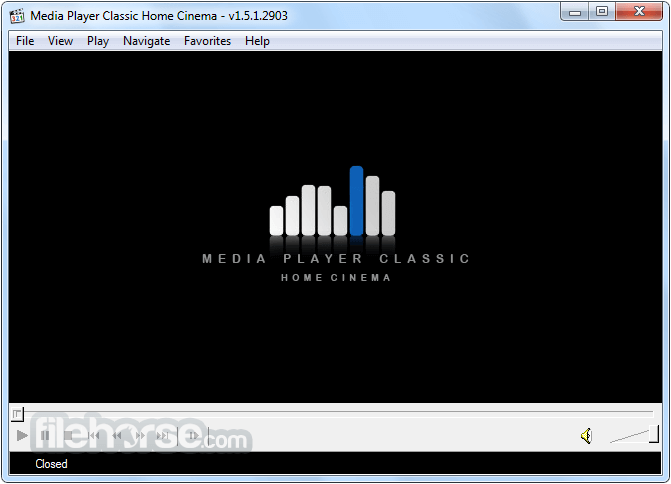
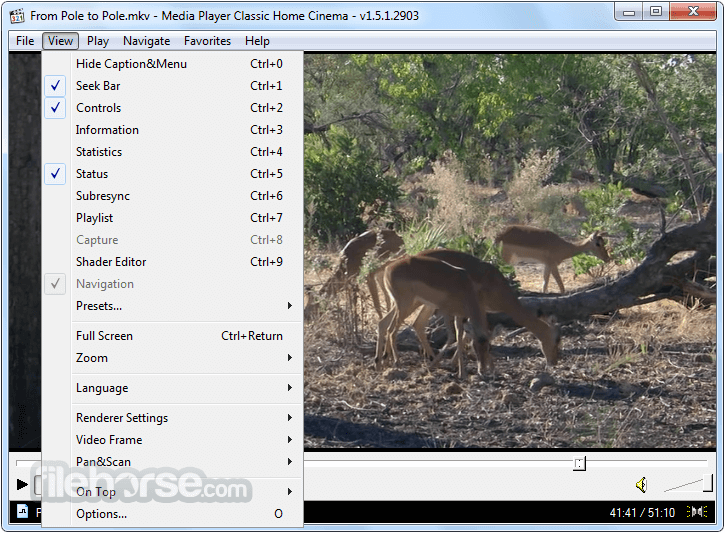
Media Player Classic Home Cinema (MPCHC) is a free, open source media player, which supports many of the known video file formats, and can play VCD, SVCD and DVDs. Media Player Classic Home Cinema is an extremely light-weight media player for Windows. It looks just like Windows Media Player v6.4, but has many additional features. You can use the player as a Media Player Classic Home Theater.

MPCHC was originally created as Media Player Classic in 2003, a popular video player that required support from external video codecs to achieve multimedia playback. Movement to integrate those codecs directly inside video player paid off in 2006 with the first version of Media Player Classic Home Cinema, who strived to become the best all-on-one player for home multimedia playback. Its large feature set was very quickly expanded to support services that no other video player of its time even tried to conquer – most notably algorithms for removal of video tearing, DirectX hardware acceleration support, Enhanced Video Renderer support, color management, and many more.

Here you can download the latest version of Media Player Classic Home Cinema, and instantly make your PC into highly capable film theater that can manage all video and audio formats with ease. This version of the app was carefully localized for over 30 international languages. Please beware that totally separate Russian version of Media Player Classic exist on the market [Media Player Classic - Black Edition], but its feature set its much smaller than Home Cinema version.

Media Player Classic Home Cinema Features:

  • Option to remove Tearing.
  • Better support for Windows Vista, including a release for 64 bits platform.
  • Support for EVR (Enhanced Video Renderer)
  • Supports Subtitles.
  • Playback and recording of television if a supported TV tuner is installed.
  • Creation of minidump when MPC HC crashes.
  • OSD (On Screen Display)
  • Shuttle PN31 remote control support
  • Support Multi-Monitor configuration
  • Pixel shader to convert BT601 - BT701
  • YV12 Chroma Upsampling pixel shader
  • Language Translations.
  • All features from the Guliverkli MPC Project from Gabest.
  • Remote control for Android devices.

Note: As of July 2006, Media Player Classic is no longer developed. Its feature-identical successor is Media Player Classic - Home Cinema.

Tags: media player classic, home cinema 64 bit, light media player, mpc hc, simple player, player for win, dvd player, video player, media, player, classic